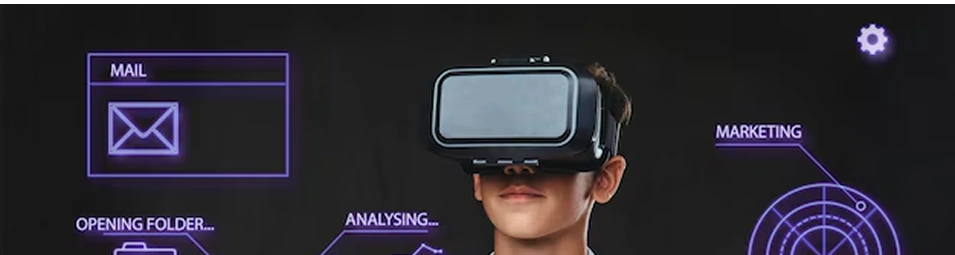



In 2025, extended reality is no longer a novelty. It’s being used to train surgeons, sell homes, teach students, entertain gamers, and offer virtual try-ons in retail stores. Augmented and virtual reality have officially moved from concept to expectation.
But with higher adoption comes higher responsibility, especially when it comes to quality.
AR and VR apps don’t live on screens. They live around you. They react to your hands, respond to your voice, track your eyes, and exist in your space. When something breaks, it's not just a bug—it's a broken experience. And users notice it instantly.
This is why app testing services in AR/VR need to go beyond functional testing. It’s about replicating how real users will move, respond, and interact inside a 3D environment.
Immersion Leaves No Room for Error
In traditional applications, a glitch might go unnoticed. A slow load time, a misplaced button, or a small crash may not derail a session. But in immersive environments, these same issues are far more disruptive.
A delay in head tracking causes dizziness. A misaligned object breaks immersion. A rendering lag makes users feel disconnected. Unlike flat-screen apps, AR/VR apps are all about presence. And presence breaks the moment anything feels off.
Launching an immersive app soon? Don’t wait until users find the issues.
Why AR/VR Testing Is Non-Negotiable Now
Unlike regular apps, AR/VR apps deal with:
-
Motion sensors
-
Hardware integrations
-
Real-world spatial mapping
-
Immersive visuals and interactions
Standard QA methods don’t account for these layers. Instead, AR testing services and VR testing services are designed specifically to address the physics, human behavior, and environmental complexity AR/VR apps demand.
What Needs to Be Tested?
Immersive app testing includes both technical and human aspects. Here are some critical areas where things often go wrong—and why software testing companies take them seriously:
1. Performance Under Pressure
High-end graphics, 3D assets, animations, and user motion all put stress on the system. If performance isn’t optimized, the app may lag, freeze, or crash unexpectedly—especially on older hardware.
2. Tracking Accuracy
Hand and head tracking must be precise. A miscalculation by just a few degrees can throw objects off alignment or make actions feel unnatural. In AR, improper surface detection or lighting issues can cause elements to float awkwardly or disappear.
3. Device Compatibility
What works smoothly on one headset or phone may completely fall apart on another. App testing services must cover a wide range of devices, platforms, and screen sizes.
4. Environment Sensitivity
Apps often behave differently based on real-world lighting, sound, or space. A VR app may work well in a quiet room but struggle with background noise. An AR app might fail under bright sunlight or low-light indoor conditions.
5. User Feedback Loops
Testing must account for how users react. Are they getting confused? Are certain features being overlooked? Do they instinctively understand how to interact? Observing real user behavior is key.
Curious about how your app performs in real-world environments?
What Happens When Testing Is Skipped?
There’s no shortage of failed immersive projects—some by major brands. And in most cases, the issue wasn’t the idea or the design—it was the experience.
-
Users feel disoriented and uninstall immediately
-
App reviews point out glitches and discomfort
-
Engagement drops within the first few minutes
-
Hardware incompatibility frustrates early adopters
-
Product demos go wrong during launch events
-
Teams scramble for fixes post-launch, delaying updates and burning resources
In immersive tech, trust is fragile. Once users lose faith in the experience, it’s hard to win them back.
What Good Testing Looks Like
-
It starts early. Testing shouldn’t wait until the final build. The earlier issues are caught, the easier they are to fix.
-
It involves real people. Manual testers using the actual devices in varied environments uncover insights no tool can.
-
It asks hard questions. Are users confused? Are transitions smooth? Is the audio lagging behind the visual?
-
It scales with the product. As the app grows in features, testing evolves—from usability to security, from functionality to user delight.
A strong software testing company will integrate all these elements into a test cycle that evolves with the product.
Common Issues Found During AR/VR Testing
-
Frame rate drops causing motion sickness
-
Delays in API responses, breaking real-time actions
-
Visuals drifting out of alignment during head movement
-
Audio not syncing with user interaction
-
Heat-related shutdowns on lower-end devices
-
Crashes due to memory overload from 3D assets
-
Unsecured data flows—especially in apps accessing cameras and mics, which calls for security testing services
Each of these issues can lead to poor reviews, user abandonment, or even damage to brand reputation.
Already have an app in production?
Who Should Prioritize AR/VR Testing?
If you're working on:
-
AR-based ecommerce platforms
-
VR learning or simulation products
-
Virtual tours or real estate apps
-
Mixed-reality games or gamified tools
-
Training modules in manufacturing, aviation, or medicine
Then you need comprehensive QA support including API testing services, performance testing, and security testing aligned with immersive UX standards.
Skipping this step leads to:
-
Costly hotfixes post-launch
-
High uninstall rates
-
Customer dissatisfaction
-
Support overload
-
Bad PR
Let’s Get Started
Whether you’re building an AR furniture app or a VR-based training platform—don’t leave user experience to chance. Reach out to our testing experts today. We’ll run a quick test audit and share actionable insights—no fluff, just facts.
Final Thoughts
In 2025, attention spans are short but expectations are sky-high. Users don’t just want your app to work—they expect it to feel right. That’s where Vervali’s AR VR app testing services make the difference.Book Your Free AR/VR Test Audit Now.


 Email Us
 Call Us